

Golden Hour Photo Editing Prompts | Google Gemini Glowing Photo Editing | Instagram Trending Edits
Photography is more than just capturing a moment—it’s about telling a story through light, color, and emotion. Among all the lighting conditions, the golden hour stands out as the most magical. This short window of time, just after sunrise or before sunset, bathes everything in warm, soft tones that elevate even the simplest shots. But what happens when you miss the golden hour, or want to enhance it further? That’s where photo editing prompts, AI tools like Google Gemini, and Instagram trending edits come into play.This article explores how to harness golden hour aesthetics through editing, how Google Gemini’s glowing photo editing features can transform your images, and which Instagram trends are currently shaping the way creators edit their content.
The Magic of Golden Hour PhotographyWarm tones: Golden hour light adds natural warmth, making skin tones glow and landscapes look dreamy.Soft shadows: Unlike harsh midday sun, golden hour creates gentle shadows that add depth without overpowering.Romantic atmosphere: Perfect for portraits, travel shots, and lifestyle photography.Even though golden hour is naturally beautiful, editing can amplify its impact. By using prompts and AI‑powered tools, you can recreate or enhance golden hour vibes even if your photo was taken at a different time of day.
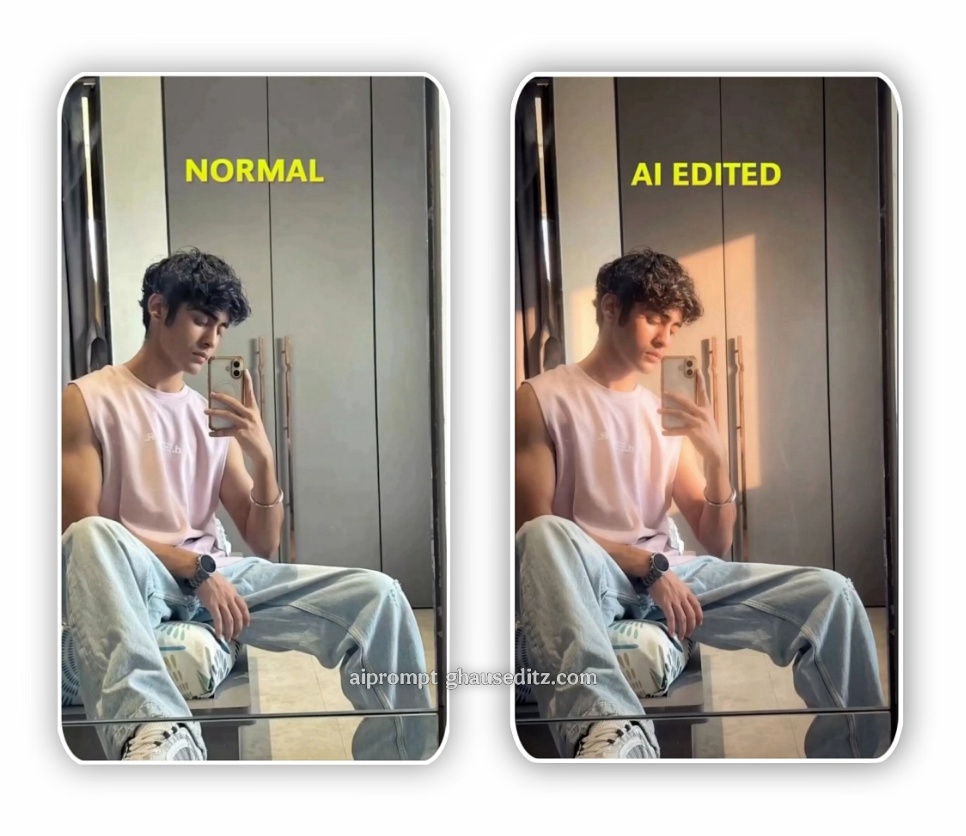
Golden Hour Photo Editing PromptsEditing prompts are essentially creative instructions you feed into AI photo editors or use as guidelines in manual editing apps. Here are some powerful prompts to achieve golden hour aesthetics:Warm glow enhancement: Increase temperature and tint toward orange and pink hues.Soft vignette: Add subtle dark edges to draw focus toward the subject.Lens flare simulation: Create dreamy highlights that mimic sunlight hitting the lens.Skin tone balancing: Smooth and warm skin tones for flattering portraits.Shadow softening: Reduce harsh contrasts to maintain the golden hour softness.Gradient overlays: Apply orange‑to‑pink gradients for sunset vibes.These prompts can be applied in apps like Lightroom, Photoshop, or AI‑powered editors. They help photographers and content creators achieve consistency across their feeds.
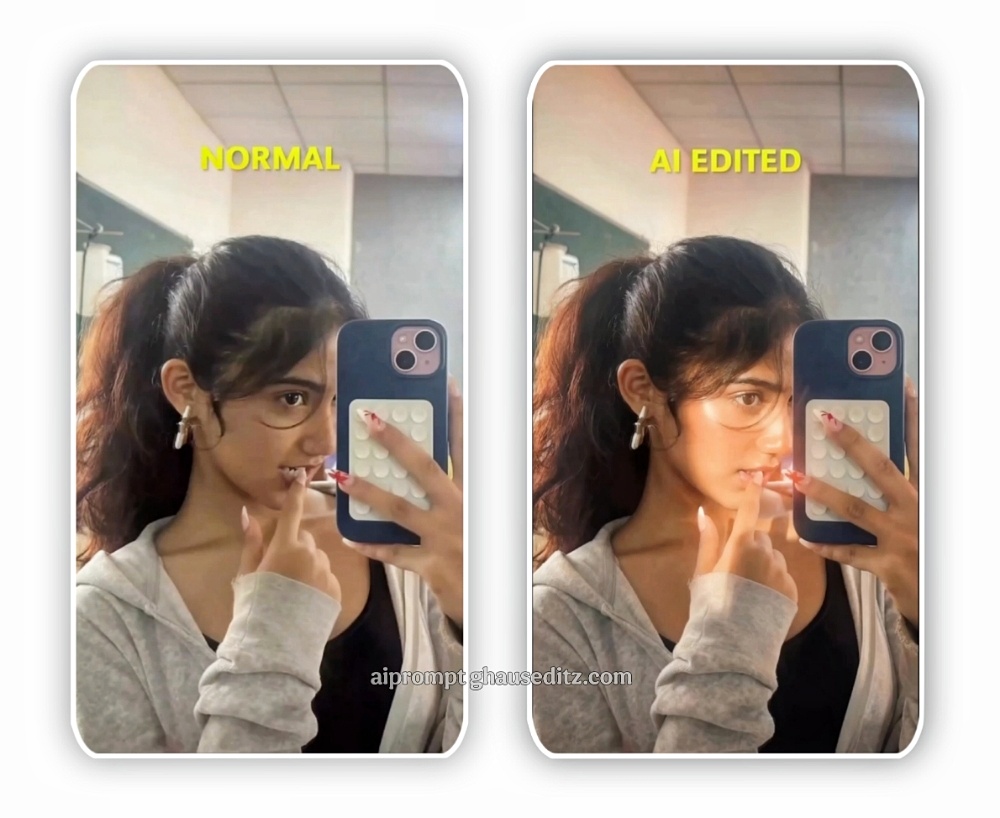
PROMPT:- Apply an ethereal lighting filter to the uploaded photo while fully preserving every original detail of the photo unchanged except for lighting, glow, and color mood. Add diffused sunbeams striking the subject’s skin, creating a glowing highlight on cheekbones, nose bridge, lips, and hair strands. Maintain clear separation between bright sunlit areas and soft, deep shadows to create a cinematic high-contrast mood. Inject subtle lens bloom, light haze, and a thin layer of atmospheric glow around the face and shoulders. Render skin with luminous translucency and gentle peachy tones. Enhance stray hair strands backlit by sunlight. Color-grade with slightly lowered saturation, and gentle film-like grain. Keep the overall background intact but allow sunlight flares and soft bokeh to wrap naturally around the subject. The result should look like a soft, ethereal daydream—sunlit, delicate, and cinematic.Hard rule: Do not change the face and hairs of the subject.
Google Gemini Glowing Photo EditingGoogle Gemini, Google’s advanced AI model, is revolutionizing creative workflows. When it comes to photo editing, Gemini can interpret prompts and apply edits with precision. Its glowing photo editing features are particularly useful for golden hour aesthetics.Key Features:AI‑driven color grading: Gemini understands natural lighting and adjusts tones to mimic golden hour warmth.Glow effects: Adds subtle radiance around subjects, perfect for portraits and fashion shots.Smart sky replacement: Transforms dull skies into vibrant sunsets with realistic blending.Detail preservation: Enhances glow without losing texture in skin, hair, or landscapes.Prompt‑based editing: Users can type “make this look like golden hour” and Gemini applies nuanced edits.This makes Gemini a powerful tool for creators who want quick, professional‑looking edits without spending hours manually adjusting sliders.
Golden hour photography has always been a favorite among creators, but with photo editing prompts, Google Gemini’s glowing features, and Instagram trending edits, the possibilities are endless. Whether you’re a professional photographer or a casual Instagrammer, mastering these techniques ensures your content shines—literally and figuratively.By blending natural aesthetics with AI‑powered innovation, you can create visuals that not only capture attention but also tell compelling stories. The golden hour may last only a short while each day, but with the right editing tools, its magic can live on in every photo you share.