
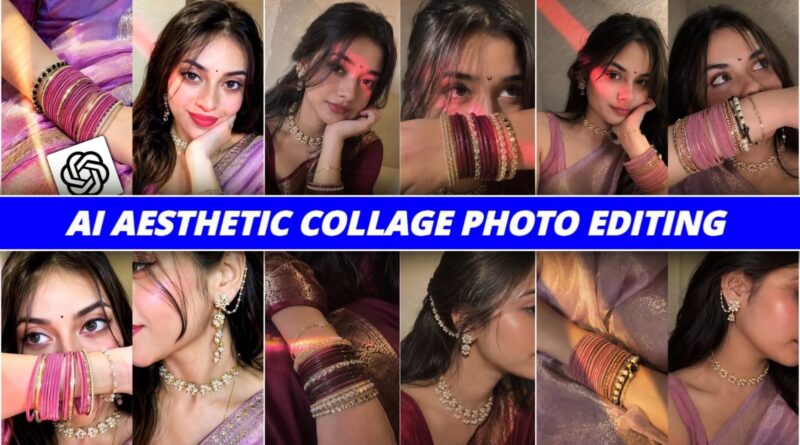
Ai Aesthetic Collage Photo Editing Prompt | Instagram Trending ChatGPT AI Photo Editing
These days, Instagram is no longer just about posting simple photos. It has become a place where creativity matters the most. Everyone wants their pictures to look unique, stylish, and eye-catching. If you’ve been scrolling through Instagram lately, you’ve probably noticed those aesthetic collage-style edits that look super clean and premium.
The good news is—you don’t need advanced editing skills to create those anymore. With the help of AI tools like ChatGPT, you can turn a normal photo into a stunning aesthetic collage in just a few seconds.
What is AI Aesthetic Collage Photo Editing?
In simple terms, AI aesthetic collage editing is a style where your original photo is enhanced using artificial intelligence. The subject (your face, pose, expression) remains exactly the same, while the background and effects are upgraded to give it a modern, stylish look.
- This usually includes:
- A soft glow effect
- A white sticker-style outline
- A blurred cinematic background
- Small aesthetic elements like emoji crowns
The best part? You don’t have to manually edit anything. You just use a prompt, and the AI does the work for you.
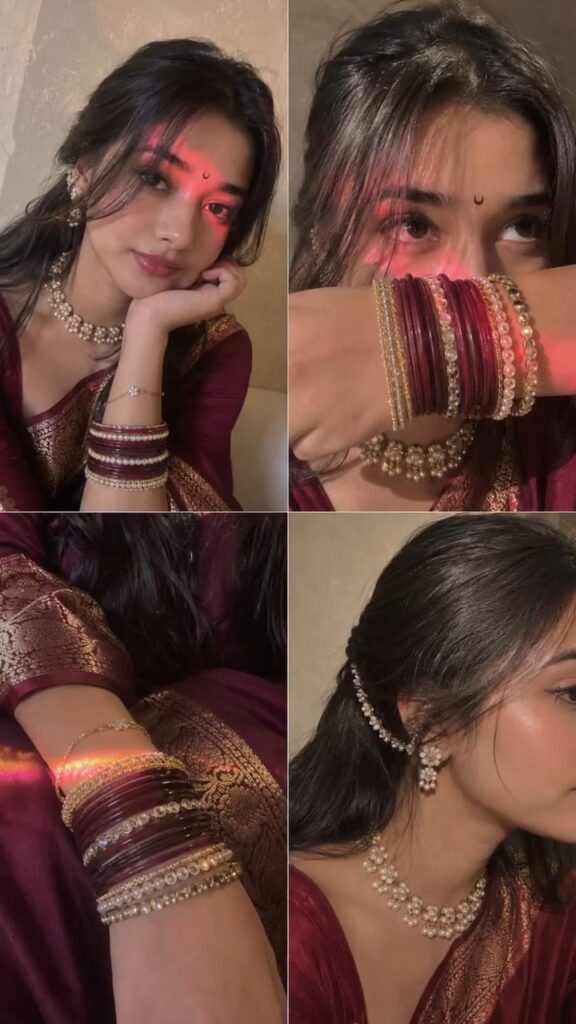
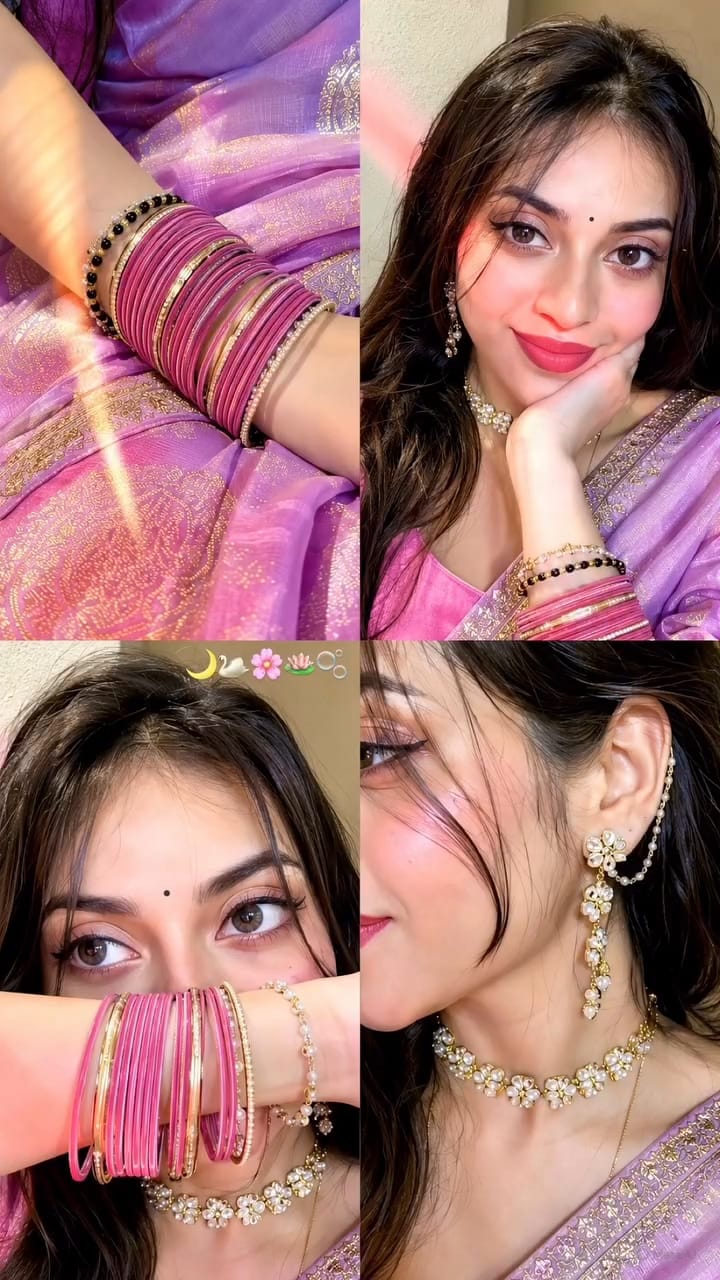
Ultra-realistic candid indoor iPhone 15 front-camera selfie collage, 2×2 grid with four equal square frames, looks like naturally captured real-life selfies instead of AI-generated art. Authentic iPhone front camera quality with subtle sensor noise, realistic fine film grain, tiny handheld motion blur, slight autofocus softness, natural HDR-off processing, no beauty filter, no skin smoothing, no over-sharpening, true-to-life skin texture with visible pores, peach fuzz, natural lip texture, realistic eye reflections, soft lens imperfections, slightly compressed smartphone image quality. Subject: Young woman wearing a lavender silk saree with intricate gold woven border and matching rose pink blouse. Small black crescent moon bindi centered on forehead. Long dark brown hair with soft waves, middle parting with loose face-framing strands. Soft natural glam makeup, warm brown eyeshadow, thin eyeliner, long natural lashes, glossy nude-pink lips, naturally flushed cheeks. Wearing a pearl-and-gold floral choker necklace, matching dangling floral earrings with ear chain attached to hair, stacked rose pink bangles mixed with gold , black and pearl bracelets, delicate bracelet on wrist. Frame 1 (Top Left): Medium close-up selfie from approximately 45–50 cm away. Subject resting chin on folded right hand, head tilted gently toward the hand, soft closed-mouth smile, looking directly into the camera. Left shoulder slightly forward. Saree draped naturally across shoulder. Background is a textured off-white and beige wall. A vivid warm pink-red light stripe crosses diagonally from upper left forehead over the left eye, nose, cheek and ends across the chin. Remaining face illuminated with warm soft flash. Frame 2 (Top Right): Tight close-up from approximately 22–25 cm away. Subject raises forearm horizontally, covering mouth and nose while displaying stacked rose pink and gold bangles. Eyes looking upward slightly to the left with calm dreamy expression. Hair strands falling naturally over forehead. Jewelry sharply visible. Warm pink-red light reflecting onto bangles and lower cheek. Frame 3 (Bottom Left): close up , her bangles resting on her lap above her saree. Frame 4 (Bottom Right): Close-up side profile from approximately 28–32 cm away. Face cropped from nose backward, highlighting ear jewelry, floral ear chain, neck and pearl choker. Saree border visible across shoulder. Head turned slightly away from camera. Hair tucked behind ear. Warm flash lighting creating realistic shine on jewelry and soft shadows beneath chin and neck. Lighting: Single iPhone front flash as primary light source with a warm ambient indoor lamp. Strong pink-red LED light streak cast diagonally across the face in the first two frames, warm golden-orange light streak in the third frame, soft warm neutral lighting in the fourth frame. Gentle falloff, realistic highlight roll-off, accurate skin reflections, subtle shadow under chin, nose and hair strands, natural specular highlights on jewelry. No studio lighting. Background: Soft indoor room with lightly textured cream wall, shallow depth perception created naturally by smartphone optics, uncluttered background, warm cozy indoor environment. Camera & Composition: Real iPhone 15 front camera, 26 mm equivalent ultra-wide selfie lens, handheld capture, natural framing, casual candid composition, authentic selfie perspective, realistic arm length distance in each frame, slight perspective distortion typical of smartphone front cameras, no cinematic depth effect, natural smartphone exposure. Color Grading: Warm amber and soft rose tones, gentle magenta highlights, realistic skin color, rich rose pink fabric, muted cream background, soft contrast, slightly lifted blacks, balanced whites, natural saturation, realistic smartphone white balance, no teal-orange grading, no artificial HDR look. Quality: Looks like an authentic real-life iPhone selfie collage captured casually indoors, not AI-generated, not digitally painted, not overly perfect. Slight sensor grain, tiny motion blur from hand movement, realistic compression artifacts, natural facial asymmetry, believable lighting, true smartphone photo realism.Aspect ratio 9:16.
Step-by-Step: How to Create Your AI Image
If you’re new to this, don’t worry. Just follow these simple steps:
- Wait for the timer to finish
- Click the COPY button to copy the prompt
- Tap on the CREATE IMAGE button
- Paste the prompt and send it
- Wait a few seconds for the result
That’s it. Your aesthetic collage image will be ready.
★ Tips for Better Results
To get the best output, keep these things in mind:
- Always use a clear, high-quality image
- Make sure your face is visible
- Avoid using already heavily edited photos
- Stick to the original prompt as much as possible
- Small details make a big difference in the final result.
AI aesthetic collage photo editing is one of the easiest ways to upgrade your Instagram content right now. It’s quick, simple, and gives impressive results.
If you want your photos to stand out and look trendy, this is definitely something you should try. Just use the right prompt, upload your image, and let AI do the rest.
Once you try it, you’ll see how easy it is to turn a normal photo into something that looks truly eye-catching and share-worthy.